Custom Styling
Want to change the look and feel of the chart? Muze provides an easy way for the same.
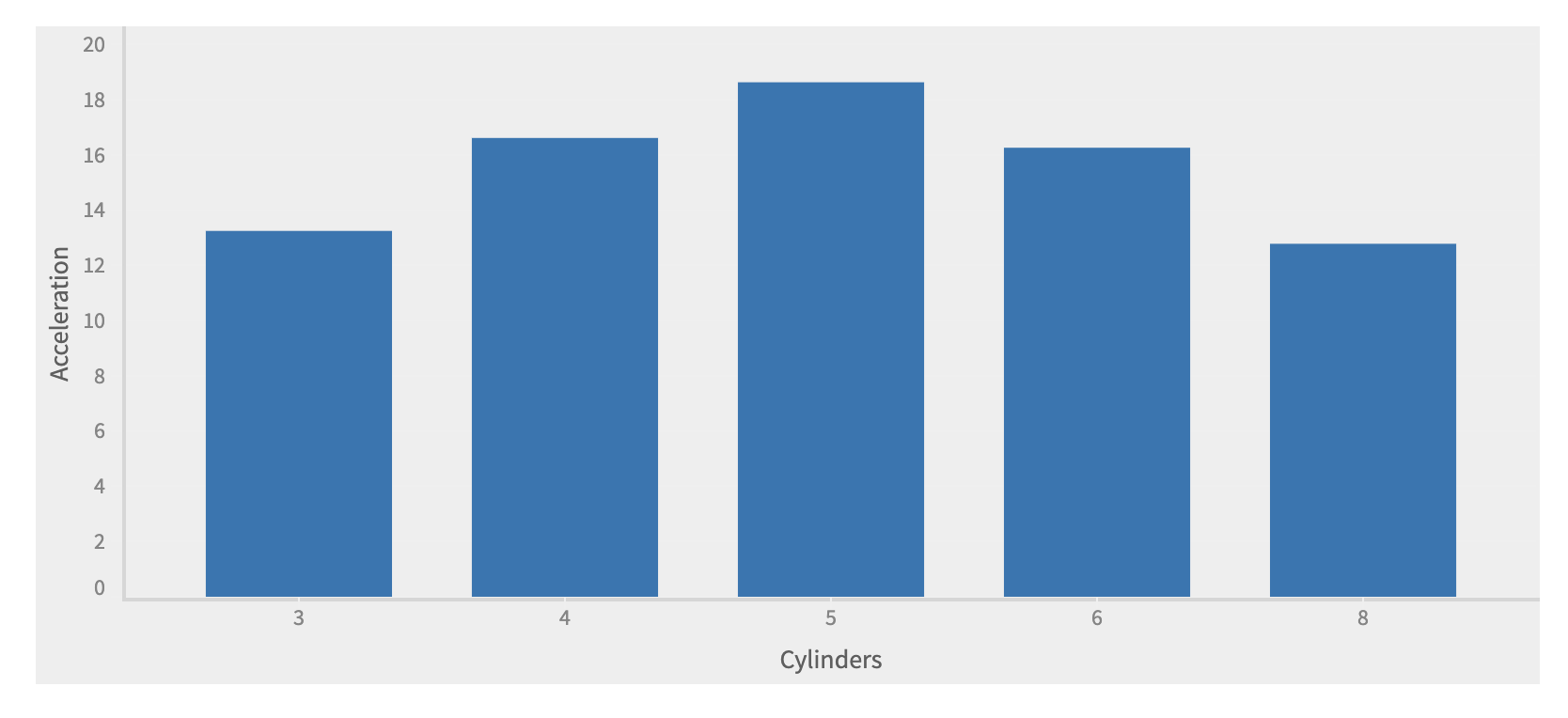
Change the background color of the chart
To change the background color, simply add background-color css rule to .muze-group-container class.
CSS
.muze-group-container {
  background-color: #eee;
}
JavaScript
const { muze, getDataFromSearchQuery, env } = viz;
const data = getDataFromSearchQuery();

const RowField = "Acceleration";
const ColumnField = "Cylinders";

muze
  .canvas()
  .data(data)
  .rows([RowField])
  .columns([ColumnField])
  .mount("#chart");
Change the plot color using color schemes
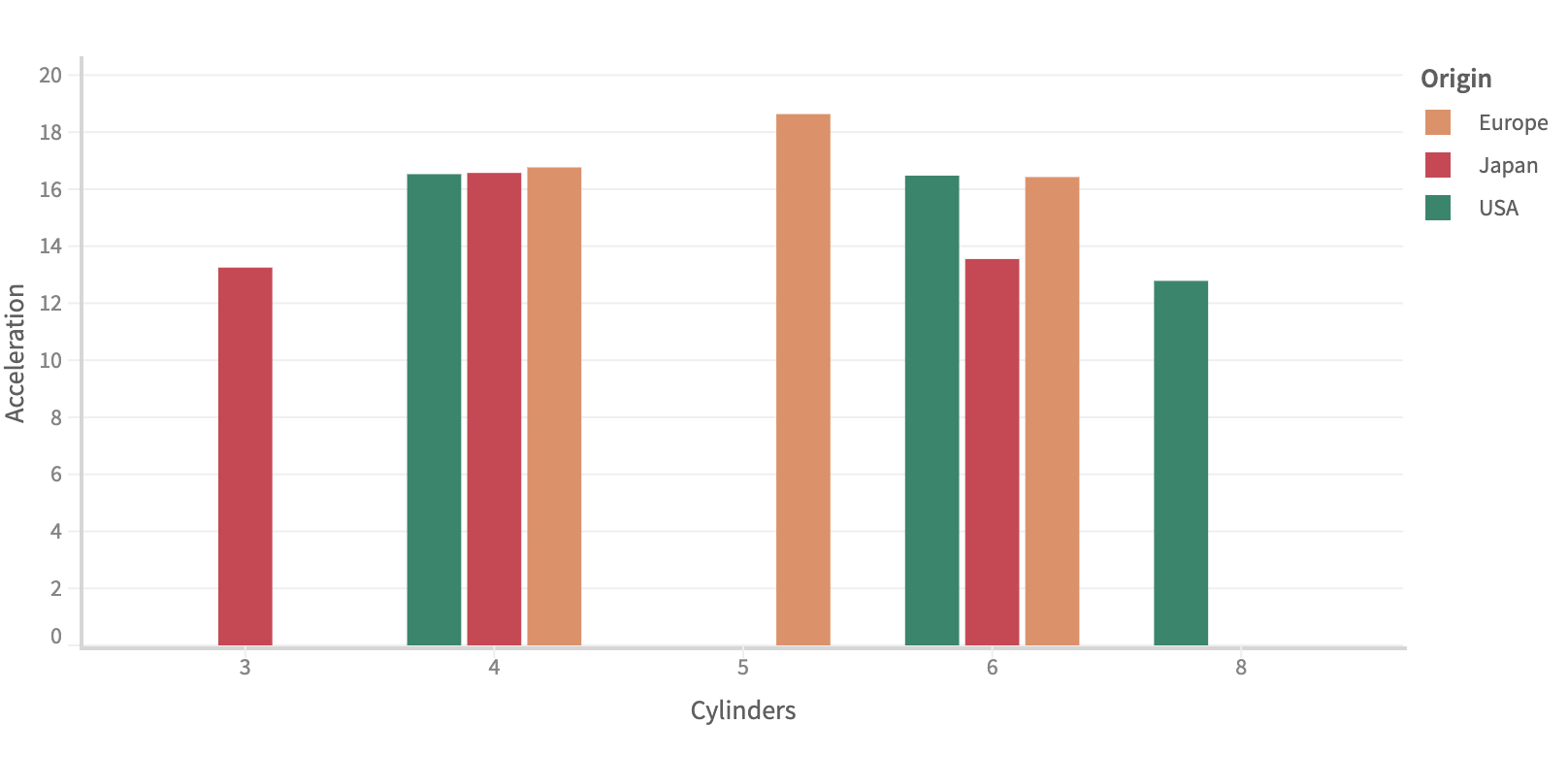
You can add a custom color palette to any chart, using the color configuration.
Pass a field to color, and add the range array containing one color each for one unique value of the color field in the config
  .color('Origin')
  .config({
    legend: {
      color: {
        range: ['#00876C', '#E88E63', '#D43D51']
      }
    }
  })
const { muze, getDataFromSearchQuery, env } = viz;
const data = getDataFromSearchQuery();

const RowField = "Acceleration";
const ColumnField = "Cylinders";
const ColorField = "Origin";

muze
  .canvas()
  .data(data)
  .rows([RowField])
  .columns([ColumnField])
  .color(ColorField)
  .config({
    legend: {
      color: {
        range: ['#00876C', '#E88E63', '#D43D51']
      }
    }
  })
  .mount("#chart");
Styling the title and subtitle
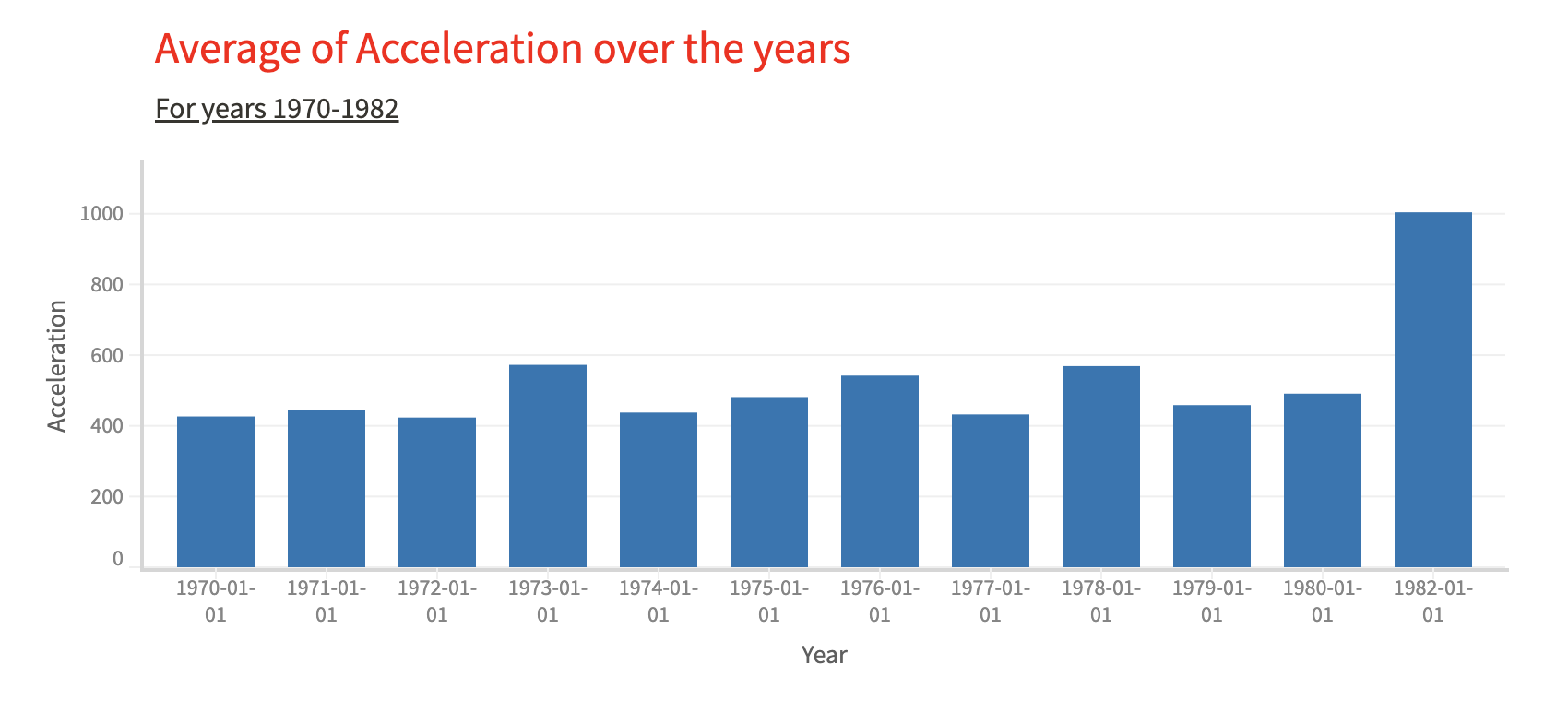
Add css rules in muze-title-cell and muze-subtitle-cell class to style the title and subtitle respectively.
CSS
    .muze-title-cell {
      color: #37352F;
      font-weight: normal;
    }

    .muze-subtitle-cell {
      color: #37352F;
      text-decoration: underline;
    }
JavaScript
const { muze, getDataFromSearchQuery, env } = viz;
const data = getDataFromSearchQuery();

const RowField = "Acceleration";
const ColumnField = "Year";

muze
  .canvas()
  .data(data)
  .rows([RowField])
  .columns([ColumnField])
  .title("Average of Acceleration over the years")
  .subtitle("For years 1970-1982")
  .mount("#chart");
Styling the axis and legend
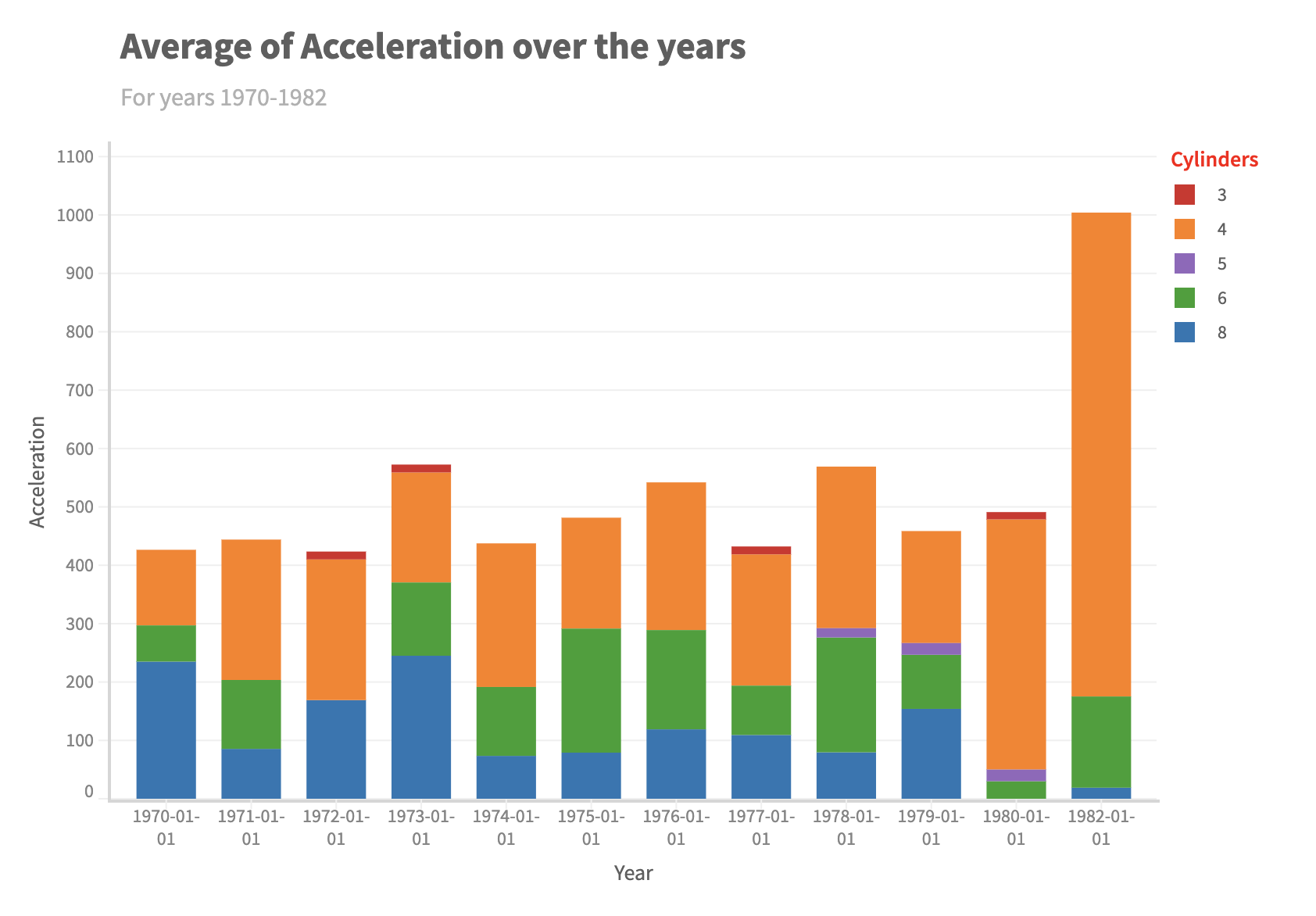
Add css rules in muze-legend-title-text class to style the legend title.
Adding on to the previous sample, we will color the chart by Cylinders and color the legend title.
CSS
    .muze-legend-title-text {
      color: red;
    }
JavaScript
const { muze, getDataFromSearchQuery, env } = viz;
const data = getDataFromSearchQuery();

const RowField = "Acceleration";
const ColumnField = "Year";
const ColorField = "Cylinders";

muze
  .canvas()
  .data(data)
  .rows([RowField])
  .columns([ColumnField])
  .color(ColorField)
  .title("Average of Acceleration over the years")
  .subtitle("For years 1970-1982")
  .mount("#chart");
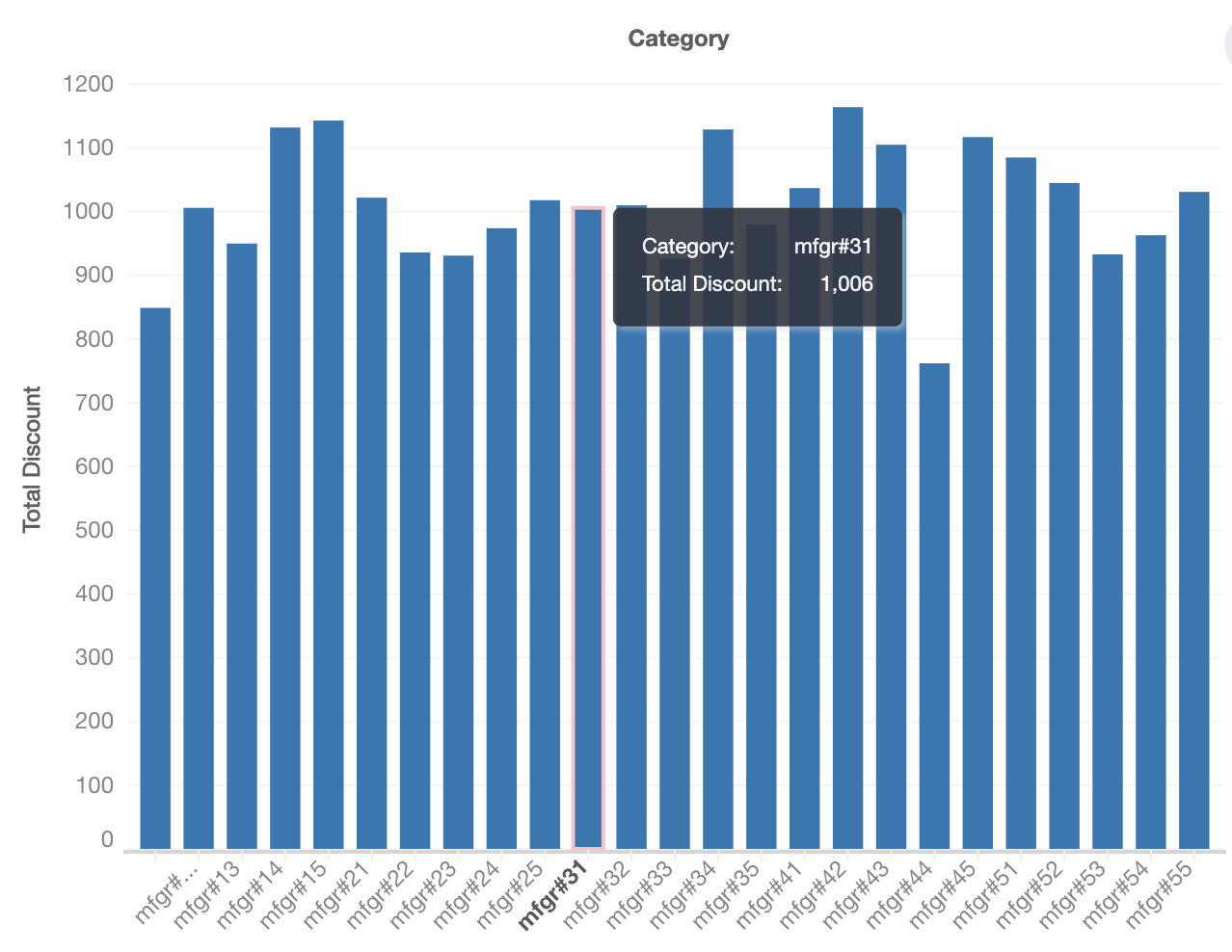
Styling bars with stroke on hover
You can configure custom stroke styles on hover for bar charts using the layers configuration.
Configure stroke properties inside interaction.highlight to apply stroke styles when hovering over bars.
Stroke on hover config
interaction: {
  highlight: {
    sideEffects: {
      "plot-highlighter": {
        rules: [{
          target: "entrySet",  // bars being hovered
          style: {
            // Change bar's stroke properties on hover
            stroke: "pink",           // any hex color
            "stroke-width": "2px",
            strokePosition: "center"  // supports: 'inside' | 'center' | 'outside'
          }
        }]
      }
    }
  }
}
Full example
const {
  muze,
  getDataFromSearchQuery
} = viz;

const data = getDataFromSearchQuery();

muze.canvas()
  .rows(["Total Discount"])
  .columns(["Category"])
  .layers([{
    mark: 'bar',
    interaction: {
      highlight: {
        sideEffects: {
          "plot-highlighter": {
            rules: [{
              target: "entrySet",  // bars being hovered
              style: {
                // Change bar's stroke properties on hover
                stroke: "pink",           // any hex color
                "stroke-width": "2px",
                strokePosition: "center"  // supports: 'inside' | 'center' | 'outside'
              }
            }]
          }
        }
      }
    }
  }])
  .data(data)
  .mount("#chart");